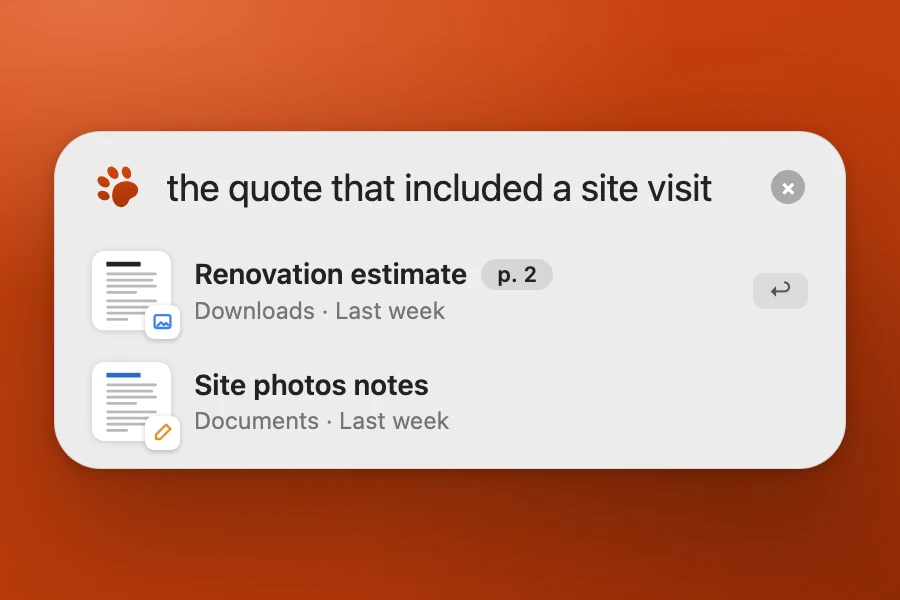
Describe it instead of naming it
Shepherd understands what you mean, so a few remembered details can surface a file and the passage inside it. Add where it came from or roughly when. Meet its AI file search for Mac.
Built for finding the right file
Spotlight comes with your Mac. Shepherd is built around finding files. If you want a Spotlight alternative for Mac, here’s what changes.
Information as of . Report an error.
| Shepherd | Spotlight | |
|---|---|---|
| Describing a file | Plain-language description of its content, source or date | Ask Siri, with Siri AI (beta) on supported Macs and languages |
| Finding the right file | Faster and more accurate in our macOS 27 testing | Slower and less accurate with Siri AI in the same testing |
| Long documents | Takes you to the matching passage | Opens the file, where you find the passage yourself |
| Copies of a document | Grouped together, with the newest first | Each file listed separately |
| Images and video | Text in images, plus what images and videos show | Depends on your macOS version and what has been indexed |
| Quick answers | Maths, units, currency, time zones and dates | Maths, unit and currency conversions, definitions |
| Other actions | Apps, System Settings links, eject, sleep and screen saver | Apps, Quick Actions and clipboard history |
| Price | $14.99 once, with a 14-day refund | Included with macOS |
| Requirements | Apple silicon and macOS 14 or later | Built in; Siri AI needs an Apple Intelligence Mac |
Shepherd understands what you mean, so a few remembered details can surface a file and the passage inside it. Add where it came from or roughly when. Meet its AI file search for Mac.
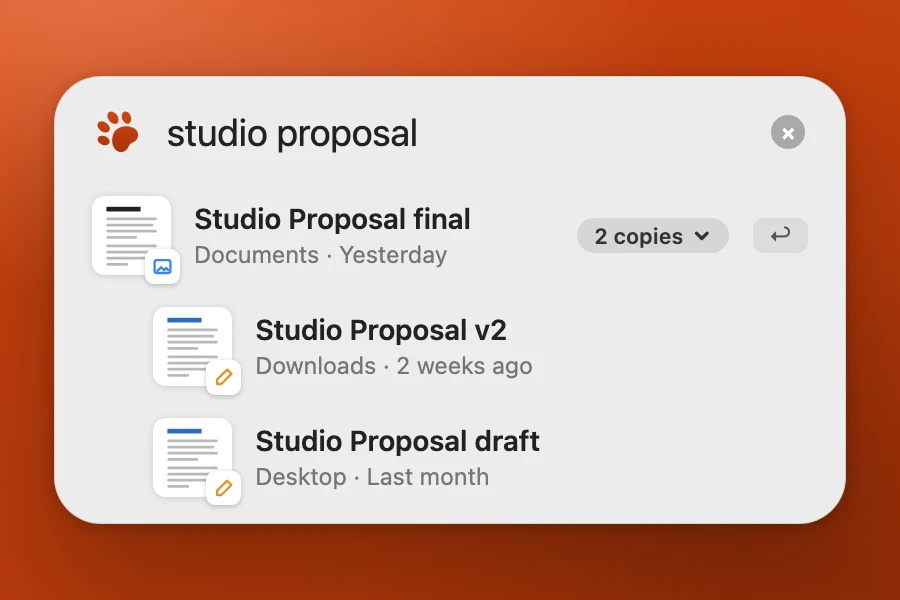
Drafts of a document appear as one result with the latest edit on top, and a button lists the rest.
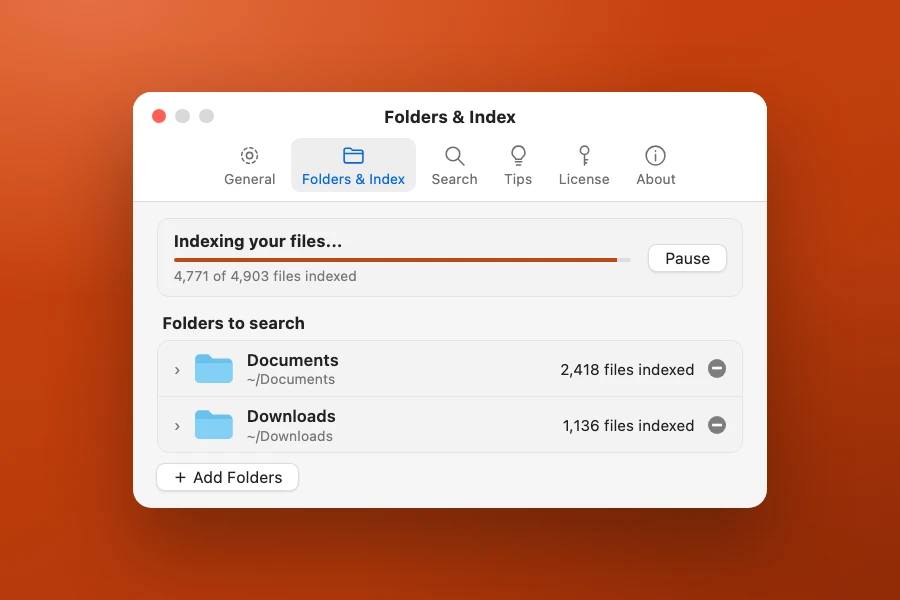
This Spotlight replacement keeps your files and searches on your Mac, with no account or analytics. After a one-time model download of about 1 GB, search works offline.
Shepherd needs Apple silicon and macOS 14 or later. The first setup downloads its AI model once, so connect to the internet before you start. Results may be slower while Shepherd indexes your folders.
Only the folders you choose, and macOS asks before Shepherd can read places such as Desktop and Documents. Hidden files, code projects and secret files are excluded by design.
Turn off Spotlight’s shortcut in System Settings under Keyboard, Keyboard Shortcuts, then Spotlight. We recommend ⌘ Space, though any shortcut works, and ⌥ Space lets you compare both side by side.
Shepherd launches apps even when you mistype them, does maths, converts units and currencies, answers time and date questions, and runs commands such as sleep and eject from the same search box.
In our testing on macOS 27, Shepherd found the right file faster and more accurately than Spotlight with Siri AI (beta). Results depend on your files and your Mac, so try it on searches that matter to you within the 14-day refund period.
Yes. Spotlight searches the text macOS has indexed and offers filters such as file kind. Shepherd adds meaning, so you can describe an idea in your own words and go to the passage that matches it.
On macOS 27, Spotlight can pass requests to Siri AI, which is in beta and needs an Apple Intelligence Mac and a supported language. Shepherd runs its own model locally on any Apple silicon Mac with macOS 14 or later.
Yes. Shepherd is designed as a Spotlight replacement for finding and opening things: files, passages, images, apps and quick answers. It’s built to be simple and fast, with one search box and no filter menus.
Yes. Shepherd opens installed apps, even when you misspell them, and takes you straight to the right page in System Settings. You can also have it start when you log in, from setup or Settings under General.
Yes. Your files and searches never leave your Mac, and there’s no account or analytics. Shepherd connects only to download its model, check for updates, manage your license and fetch exchange rates, which you can turn off.
Shepherd is $14.99, paid once. The license covers one Mac with lifetime access, free updates and a 14-day refund. There’s no subscription, and you can move the license to a new Mac.
If you want custom workflows or detailed filters, see the Best Spotlight Alternatives for Mac, where we set Shepherd beside Raycast, Alfred and HoudahSpot.