
Ask in your own words
Describe the subject, a detail or roughly when you saw it. Exact wording isn’t needed.
Find files from what you remember
You rarely remember a filename. You remember what the file was about. Shepherd lets you describe that in your own words and finds it on your Mac.
Last updated
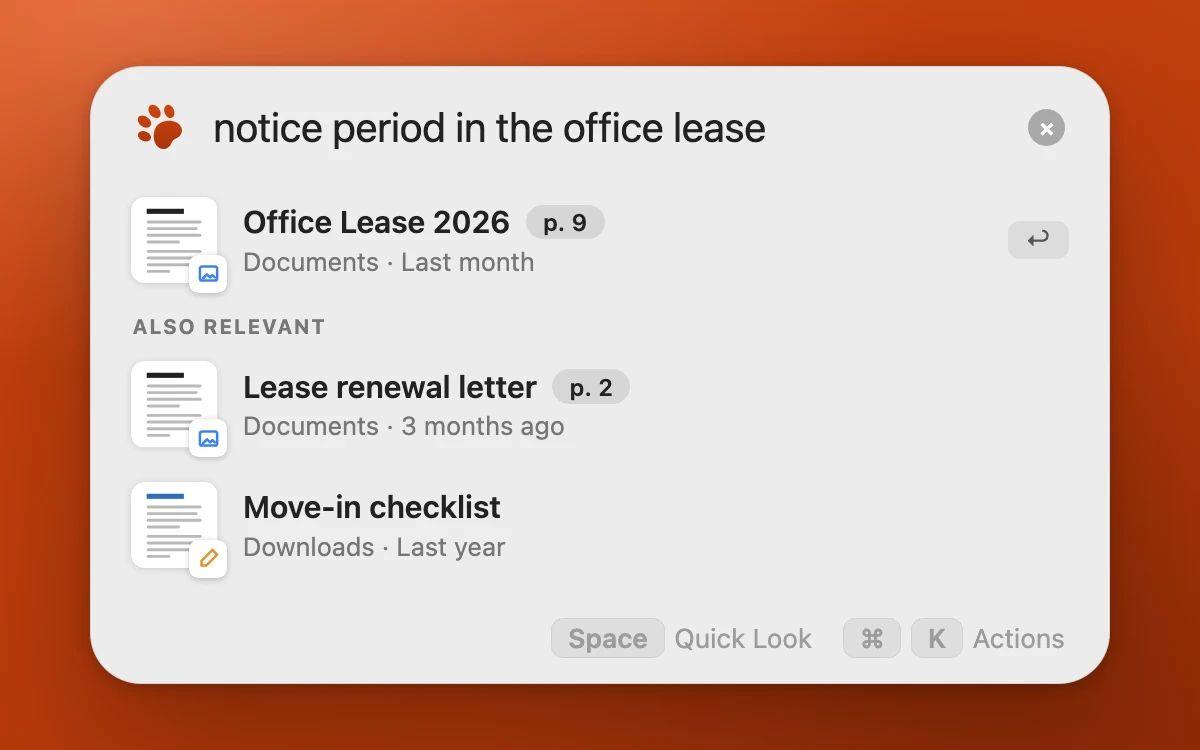
Describe the subject, a detail or roughly when you saw it. Exact wording isn’t needed.
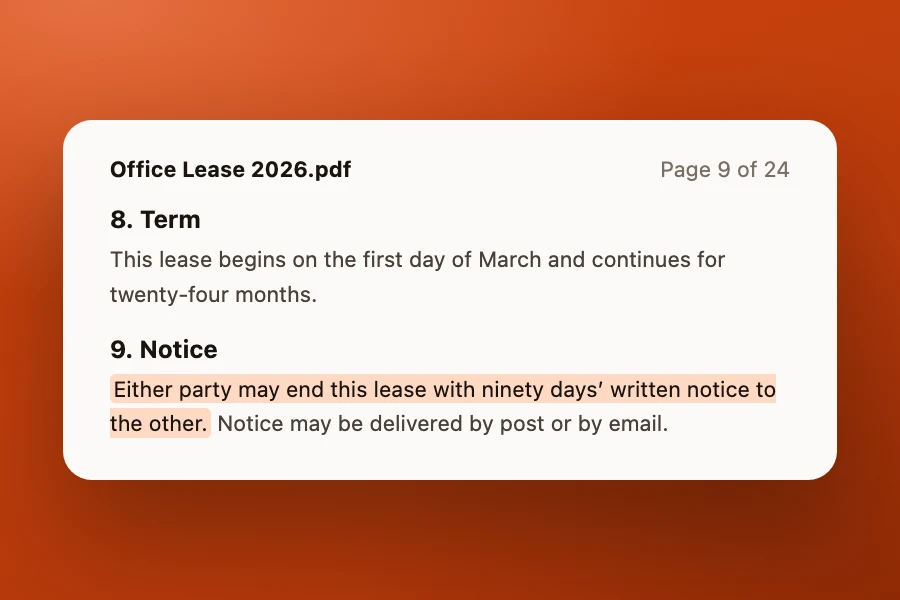
In long PDFs and documents, Shepherd shows you the part that matches your description.
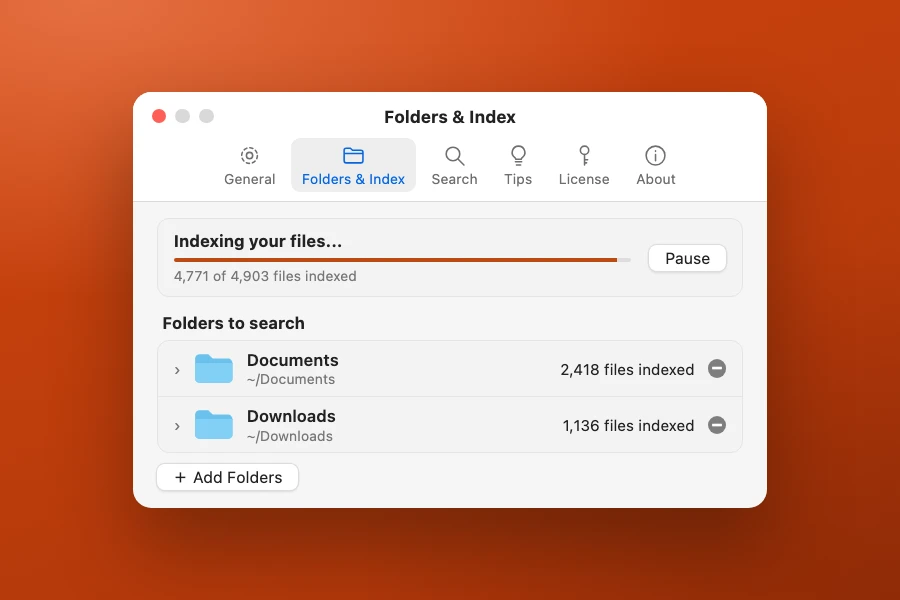
Your files and searches stay on your Mac, with no account and no analytics.
Shepherd reads for meaning, so your words don’t have to match the words in the file. Type the subject, a detail from inside, where it came from or roughly when you saw it. Search “ideas for lowering our monthly costs” and a report titled “Q3 review” can be the answer. That makes Shepherd an AI file search for Mac that starts with your memory instead of your filing system. Names, file kinds and dates work in the same search box.
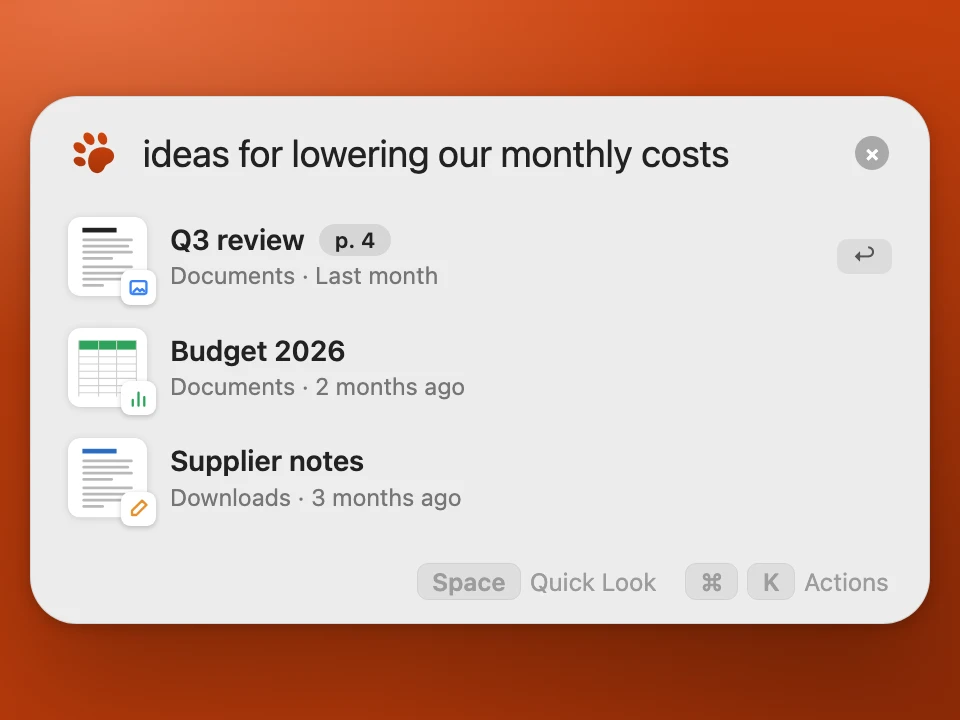
Shepherd looks inside long documents and takes you to the passage that answers your description, with the page number shown on the result. You can check a clause, a figure or a conclusion in context without scrolling from page one. Press Space for a Quick Look, or Return to open the file.
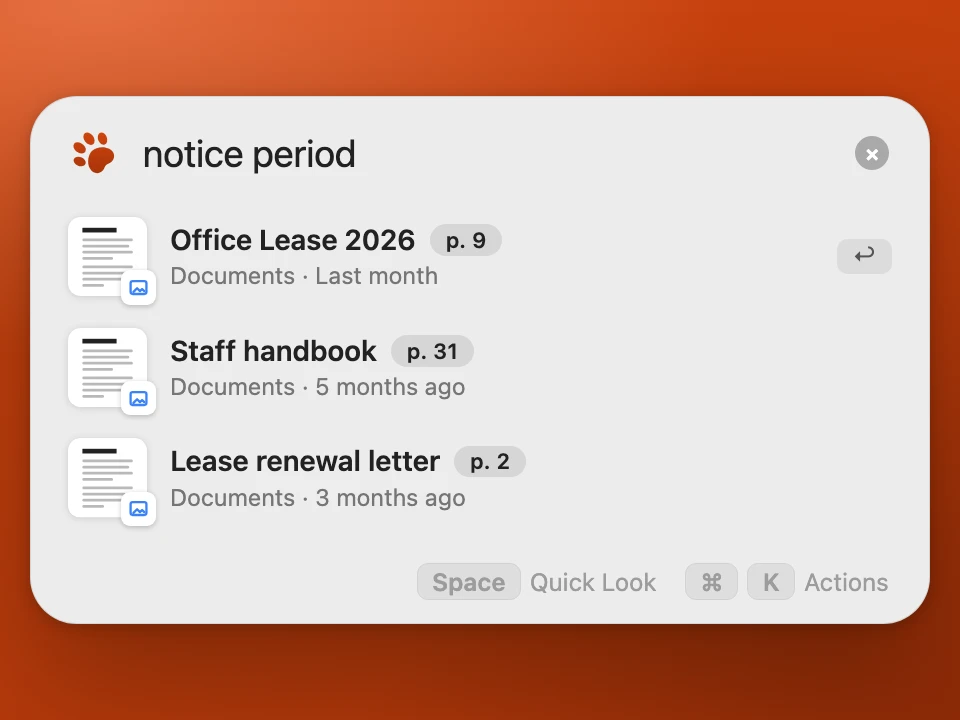
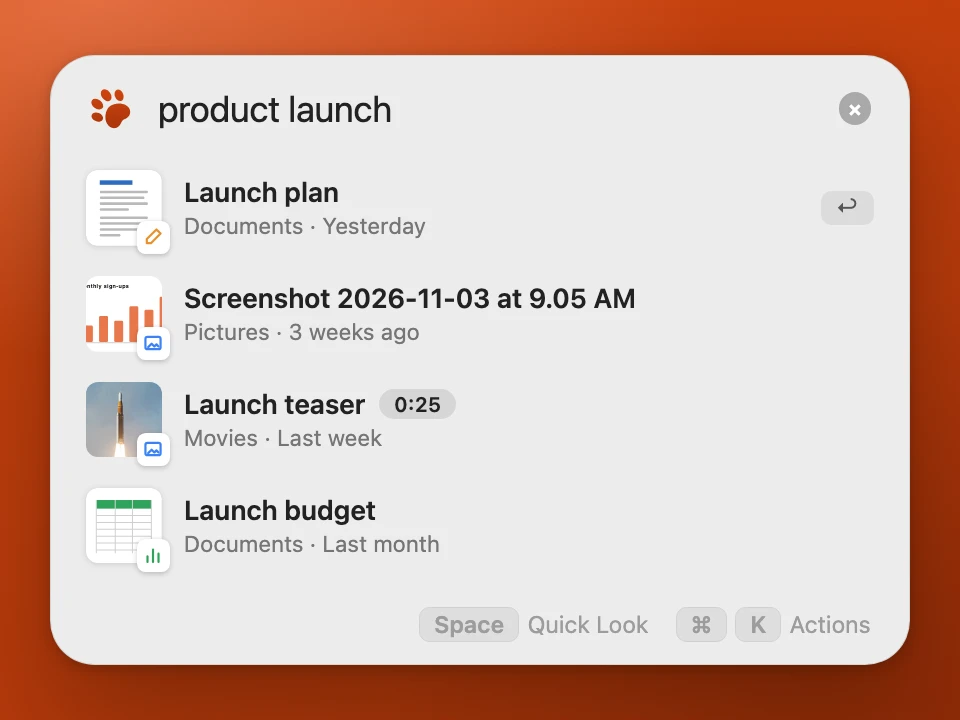
Shepherd covers PDFs, Word, Pages, Excel, Numbers, PowerPoint, Keynote, text and Markdown files, alongside images and videos. It reads the words in a screenshot and recognises what a picture shows, so you can find screenshots by content. Videos up to 2 GB and 30 minutes can be matched by what’s on screen, so you can search video by content too. Audio files are found by name.
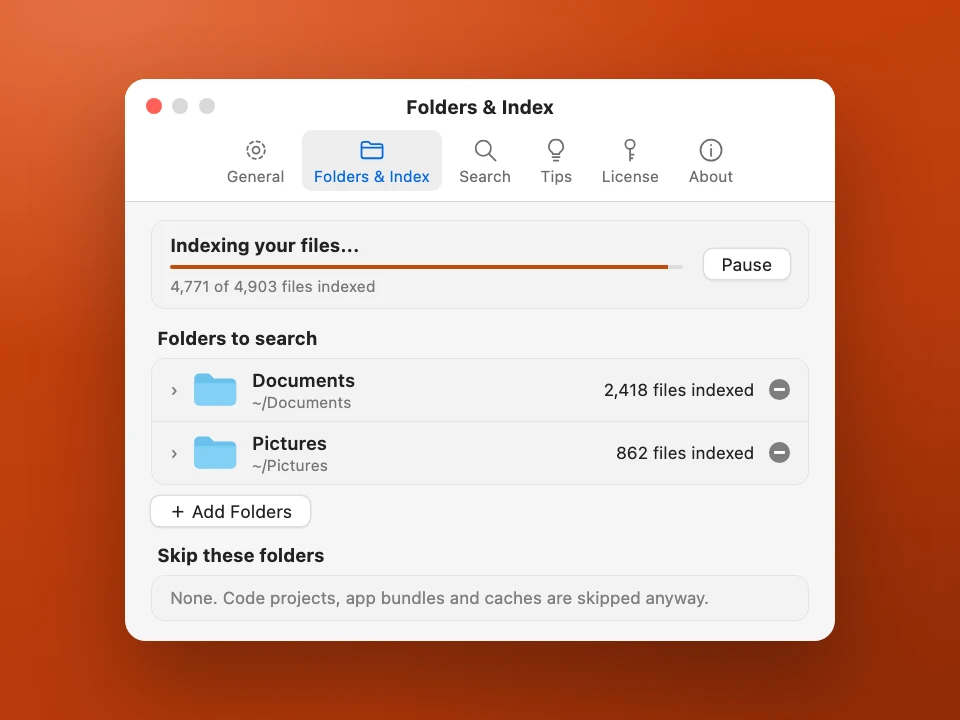
Shepherd does its indexing and searching on your Mac. After a one-time download of its AI model, about 1 GB, search works without an internet connection. You choose the folders it reads, and hidden files, code projects and secret files are excluded. New and edited files are picked up in the background, and indexing pauses for low power mode, heat or a low battery.
Keyword search matches the words you type. Shepherd also understands what those words mean, so a description can find a document that phrases the idea differently. Filenames and exact words still work when you know them.
AI file search uses a model to understand what your files say and show. Shepherd runs its model on your Mac, so you can describe what you need without sending your files or searches anywhere.
No. A few remembered words are enough. If the first results are close but not quite right, add one more detail, such as the kind of file, where it came from or when you last worked on it.
Shepherd shows each match with its folder, age and, for long documents, a page number, so you can tell them apart. Drafts of one document are grouped with the newest first, which keeps near-identical copies from filling the list.
Yes. Shepherd launches apps, even when you mistype them, does maths, converts units and currencies and tells you the time elsewhere. Currency conversion fetches the latest rates, so that one answer needs a connection.
We recommend ⌘ Space, so Shepherd takes Spotlight’s place. Turn off Spotlight’s shortcut in System Settings under Keyboard, Keyboard Shortcuts, then Spotlight. Any shortcut works, and ⌥ Space is handy for comparing the two. See Shepherd vs Spotlight for the differences.
Shepherd is $14.99, paid once. The license covers one Mac with lifetime access, free updates and a 14-day refund. There’s no subscription and no account to create.
You need a Mac with Apple silicon running macOS 14 or later. After setup, choose your folders. Results can be slower while Shepherd is still indexing them for the first time.